ms-windows-store://pdp/?productid=9N06Q61LM4T7
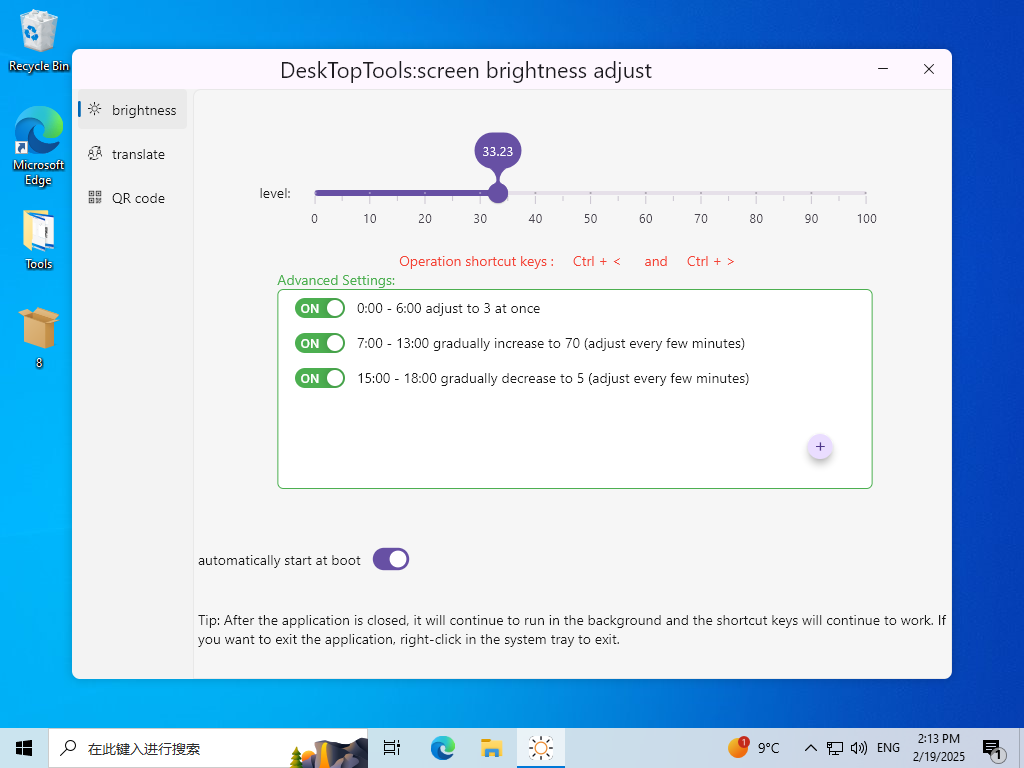
Automatically adjust screen brightness:
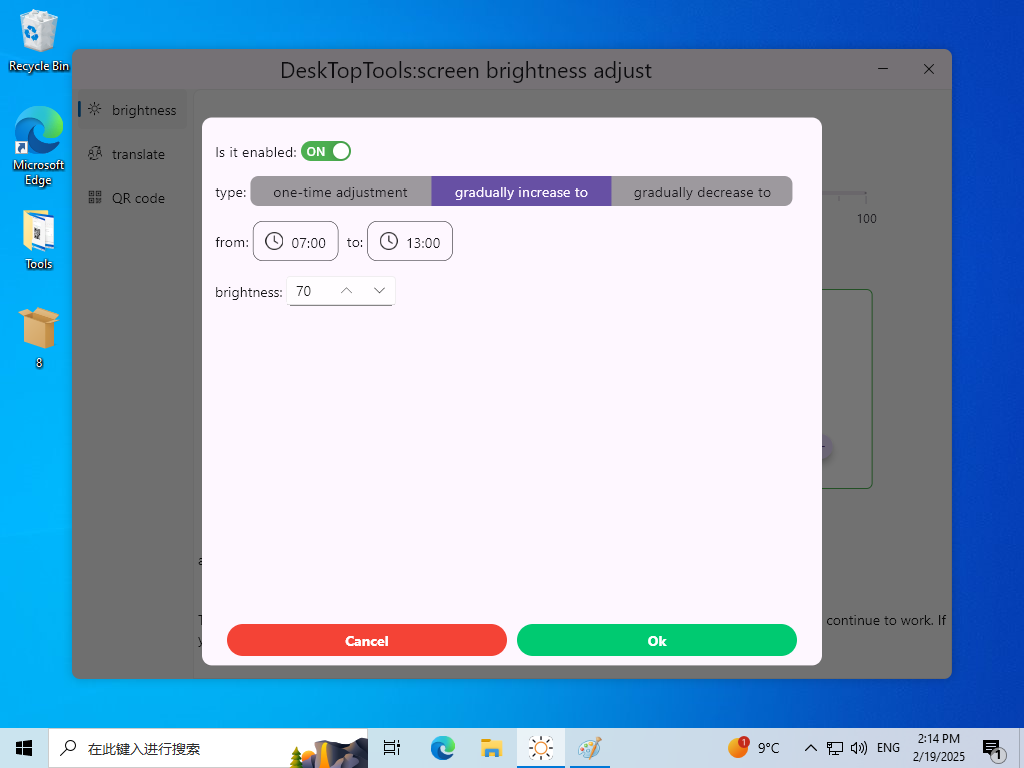
Advanced settings support rules, and there are 3 modes in the rules:
1. Gradual increase (adjust every few minutes)
2. Gradual decrease (adjust every few minutes)
3. One-time adjustment
For example:
0:00 - 7:00 can execute the one-time adjustment mode
7:00 - 12:00 can execute the gradual increase mode
14:00 - 17:00 can execute the gradual decrease mode
Progressively adjusting brightness protects your eyes from prolonged high-brightness irradiation
Screen brightness adjustment:
You can adjust the screen brightness by sliding the slider and using shortcut keys.
The shortcut keys are: ctrl + < and ctrl + >
When you are watching a movie or playing a game, it may not be convenient to leave the current scene, but you want to adjust the screen brightness.
At this time, shortcut keys will be very convenient.